
Fortnite 2FA: How to Turn On Two-Factor Authentication on Epic Games
Turn on Fortnite two-factor authentication through your Epic Games account: authenticator app, SMS or email, backup codes, and why 2FA is needed to gift.

Fortnite two-factor authentication is set on your Epic Games account, not inside the game. Sign in at epicgames.com, open Account → Password and security, and under Two-factor authentication set up an authenticator app (the strongest option), SMS or email. Once it's on, it applies to Fortnite on every platform linked to that Epic account.
Why turn on 2FA for Fortnite
- Account safety: stolen Fortnite accounts are resold for their skins and V-Bucks. With 2FA, a password alone isn't enough to sign in.
- Gifting: Epic requires two-factor authentication on the account to send gifts in Fortnite, and for some other features such as claiming certain free games on the Epic Games Store, according to Epic's help centre.
How to turn on 2FA with an authenticator app
- Go to epicgames.com and sign in with the account you use for Fortnite (use the same sign-in method as on your console, e.g. PlayStation, Xbox or Nintendo, if that's how you created it).
- Open Account, then Password and security.
- Under Two-factor authentication, choose Set up next to Authenticator app.
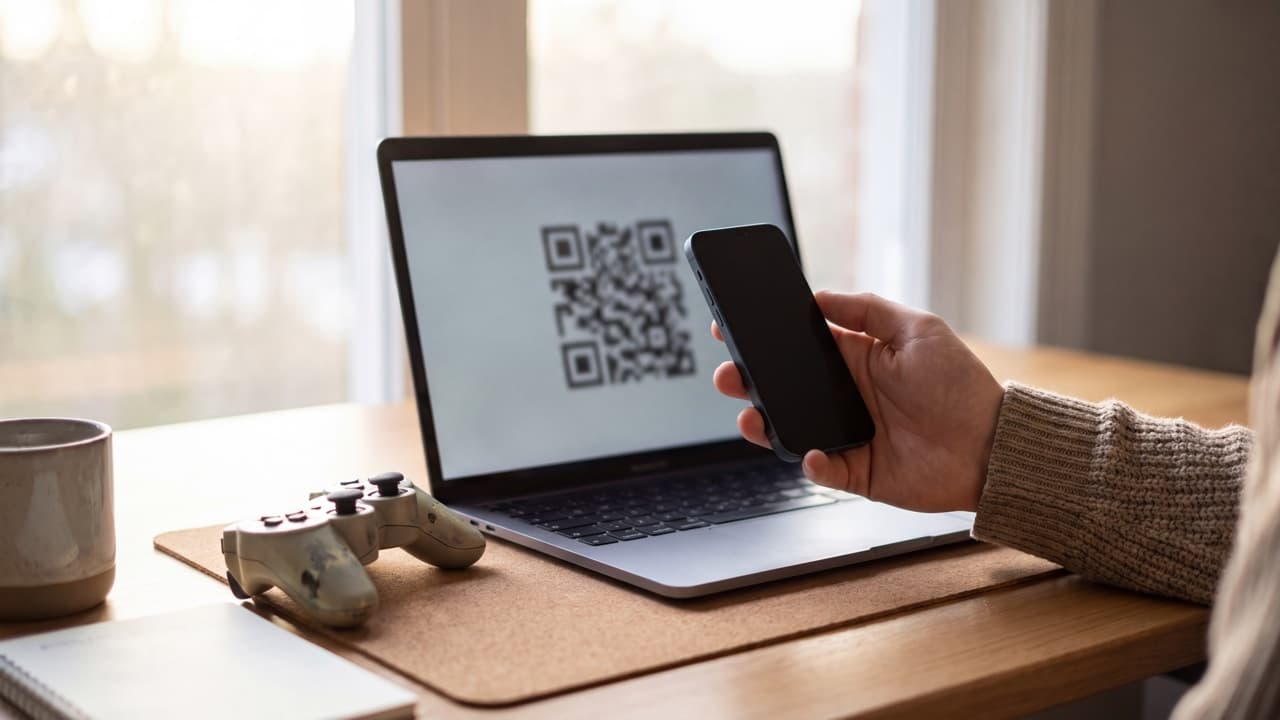
- Scan the QR code with your authenticator app, or enter the key manually.
- Type the 6-digit code from the app into the Epic page to confirm.
- Save the backup codes Epic shows you.
Menu names can change slightly; Epic's help article linked above has the current wording.
SMS or email instead?
Epic also offers codes by SMS and by email. They're easier to start with but weaker: a text can be intercepted through SIM swapping, and anyone who gets into your email gets your codes too. If you use email 2FA, protect the email account itself with an authenticator app. Our comparison of authenticator apps, SMS and passkeys explains the difference.
Backup codes
Backup codes let you sign in if you lose the phone with your authenticator. Each code works once. Store them offline: printed at home or in a password manager you can open without your phone. Without them, getting a locked Epic account back means going through Epic's account recovery, which can take time.
Fortnite 2FA code not working?
- Check the clock: authenticator codes depend on the time; set your phone's date and time to automatic.
- Use the newest code: codes change every 30 seconds.
- Pick the right account: if you have several Epic accounts, each has its own entry in the authenticator.
- New phone? Move the Epic entry before resetting the old phone; see how to move an authenticator to a new phone.
Use Ring for your Epic Games codes
Ring works with Epic Games and any service that supports authenticator apps. It generates codes offline on your iPhone, behind Face ID, and you can keep gaming accounts such as Epic and Discord in their own folder. Codes are stored encrypted only on the device, so keep Epic's backup codes as well.
FAQ
Is Fortnite 2FA the same on PS5, Xbox, Switch and PC?
Yes. It's set on the Epic Games account, so it covers every platform linked to that account.
Which authenticator app works with Fortnite?
Any app that supports standard time-based codes: Google Authenticator, Microsoft Authenticator, Ring and others.
Can I turn off 2FA on Fortnite?
Yes, from the same Password and security page, but you lose gifting and your account becomes easier to take over.
Keep reading
 Ring••4 min read
Instagram Two-Factor Authentication: Set Up an Authenticator App
Turn on Instagram two-factor authentication with an authenticator app in Accounts Center, save backup codes and get back in if codes don't arrive.
 Ring••3 min read
Discord 2FA: How to Enable an Authenticator App and Save Backup Codes
Enable Discord two-factor authentication with an authenticator app, download backup codes, and fix 2FA codes that don't work or a lost phone.
 Ring••6 min read
Lost Your Phone with Your 2FA Codes? How to Get Back Into Your Accounts
Lost, stolen or reset the phone with your authenticator codes? Get back in with backup codes, signed-in devices and account recovery, then prevent a repeat.